Designing the Response Layer for AI Agents
Designing artifacts for how AI agents present answers, plans for the SDLC process.
At Juspay I’ve been working on their new AI native products under Xyne, an AI-first workspace designed to bring people and AI agents together in everyday workflows. The broader vision is to move beyond treating AI as a standalone assistant and make it a more integrated part of how teams collaborate, plan, and get work done.
One of the products under Xyne was Spaces, a collaborative workspace where teams and AI agents work together across conversations, tickets, and other tools.
As agents became part of everyone’s workflows, updates about their work right from bug reports and proposed fixes to code changes and pull requests often got buried in chat threads. This made it harder for people to track progress, understand what an agent had done, and review the work.
To solve this, we explored more structured, interactive responses that helped people understand what the agents were doing and follow their work as it unfolded.
- Role
- Product Designer
- Team
- Harshvardhan Agarwal (Product Designer) and Prakhar Kothari (Designer)
- Website
- Xyne Landing Page
Some project snapshots
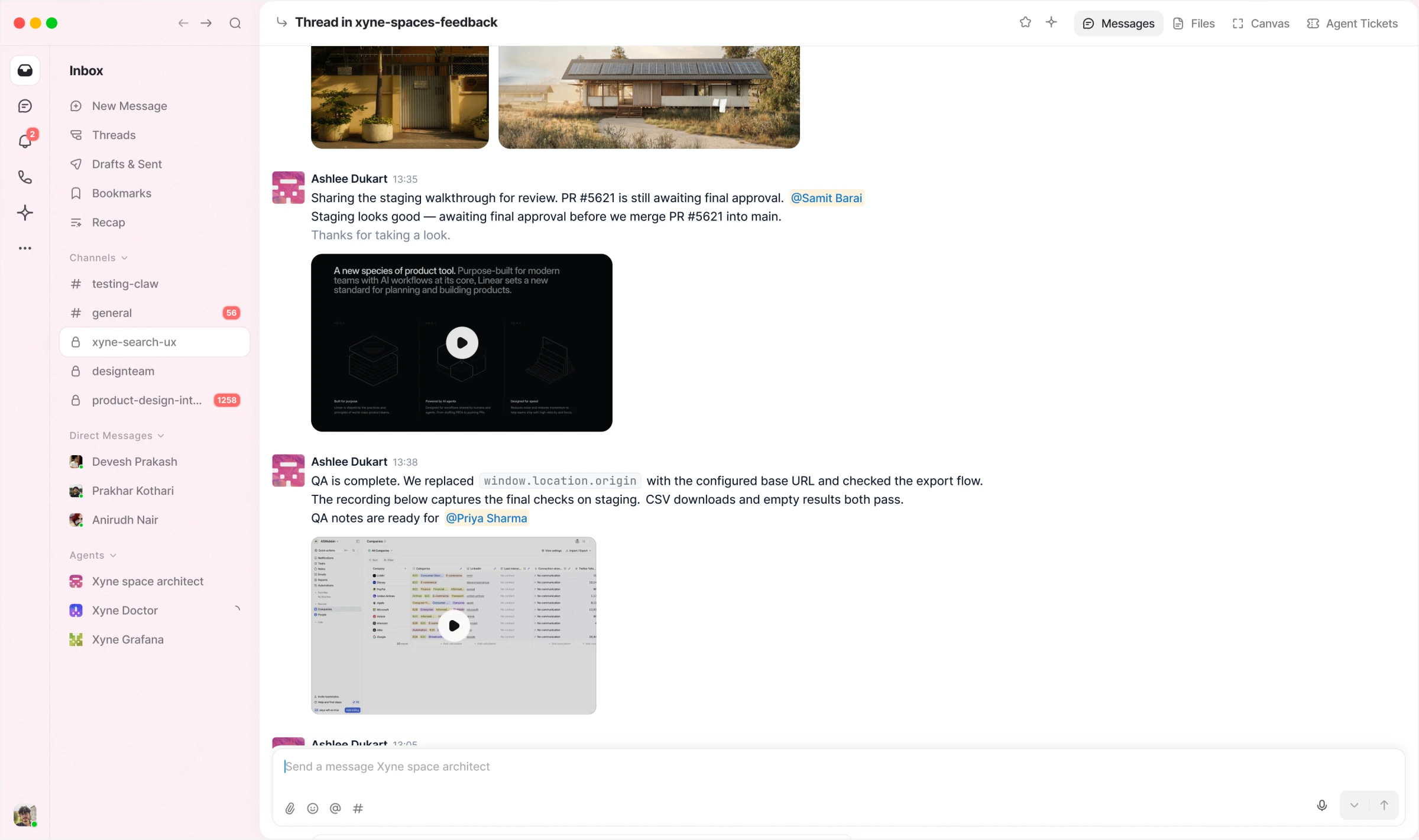
Instead of treating an agent’s response as a block of text, we structured its updates into a running view of the work. Bringing code changes, pull request status, and test results into the conversation.
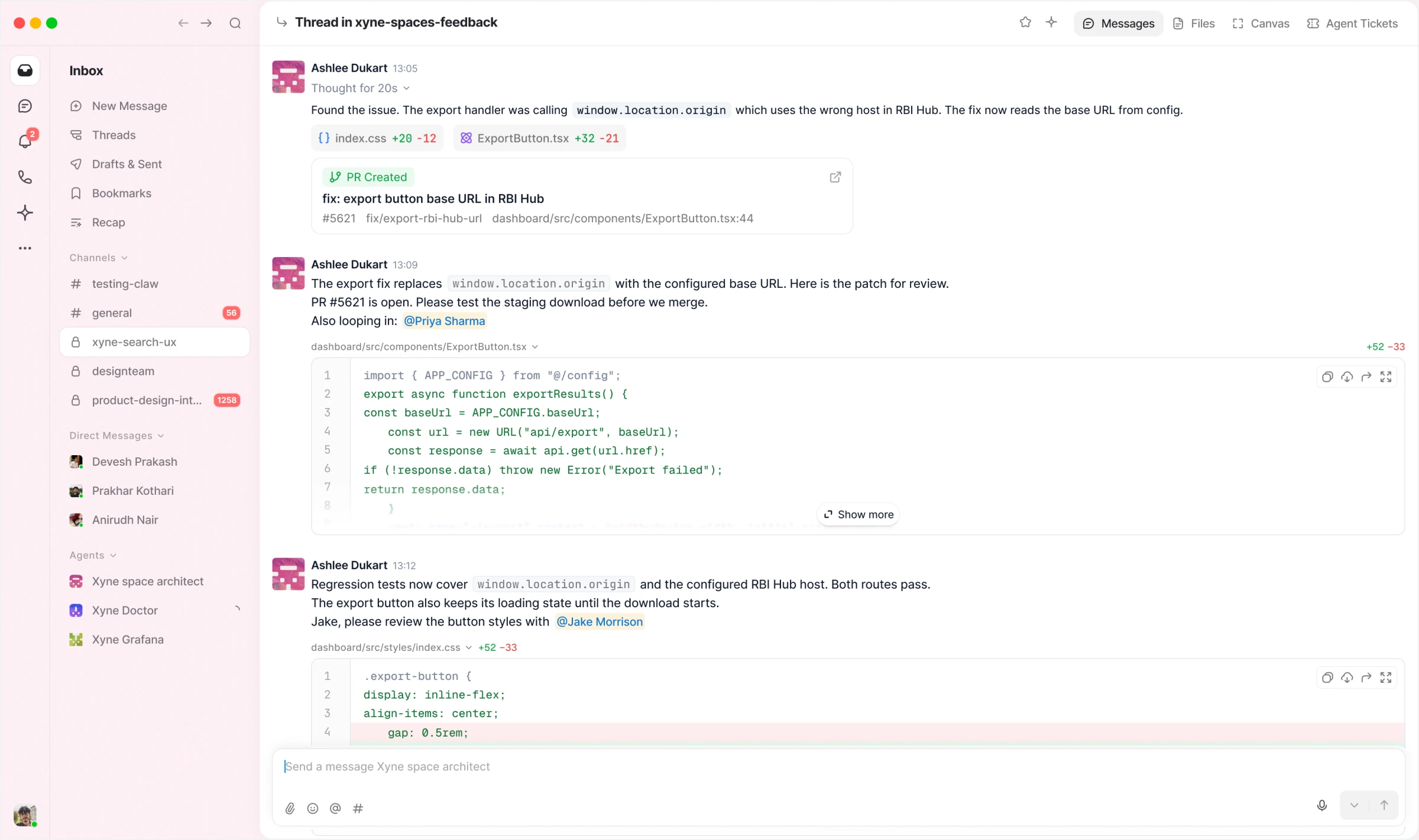
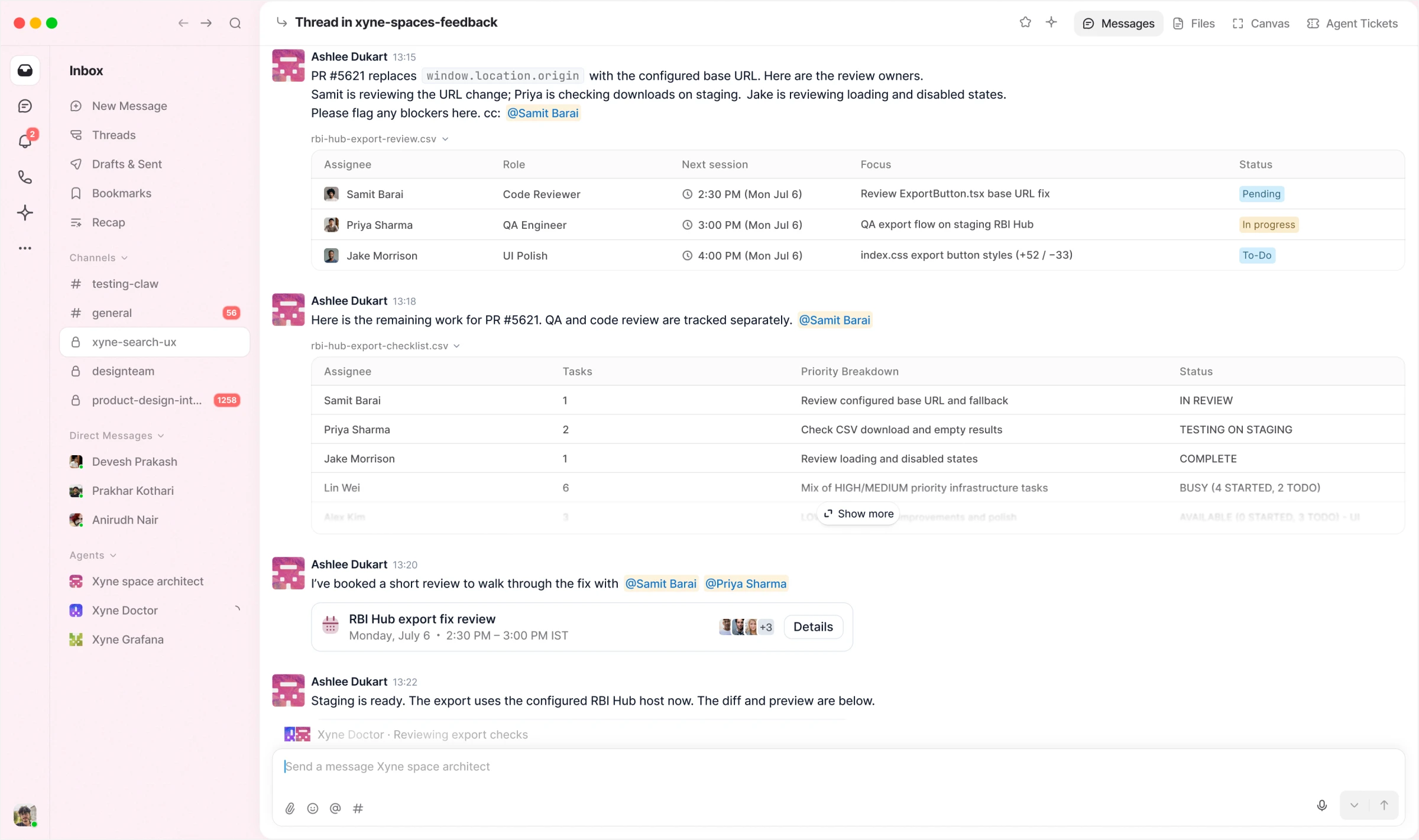
Bringing the work around the code into the conversation, from assigning reviewers to tracking tasks and coordinating handoffs.
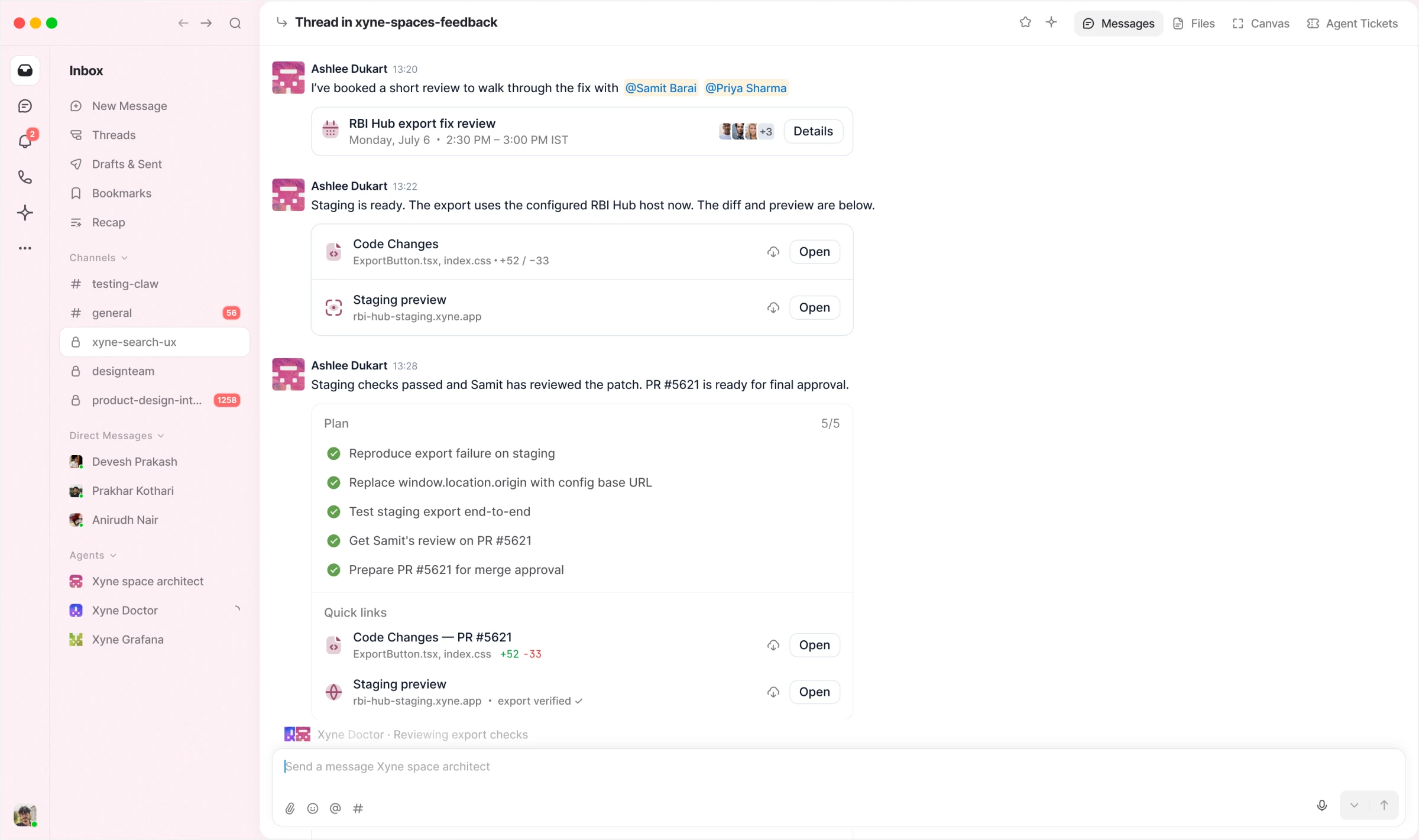
We turned the agent’s plan into an interactive checklist, giving developers control over which tasks to execute, skip, or prioritise, while making it clear what was in progress and what was complete.
Surfacing test recordings and before-and-after visuals alongside the agent’s updates, so developers can see what changed and verify the results for themselves.